
Start your trial and first sale
A short path from creating your account to trying checkout.
 Start your trial and first sale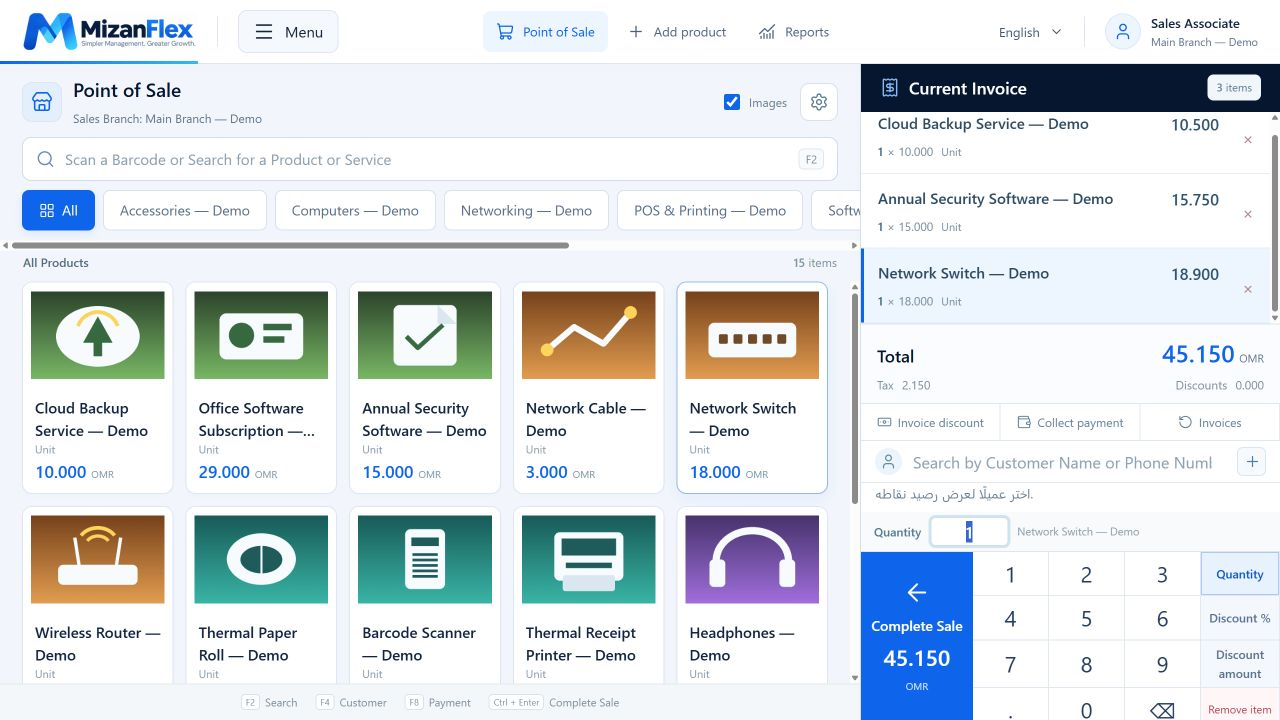
Create your company account
Select Start free. Enter your company name, login code, administrator details and email, then choose your company currency.
Explore the sample data
Your trial includes illustrated products, categories, stock, a sample customer and a supplier. Use them to learn before entering real business activity.
Try a sale
Open checkout, choose a category and add a product. Review quantity, price and payment method, then save the sample invoice.
Prepare for real trading
Review company, tax and user settings. Enter your real products and opening quantities, and configure devices. Contact us to organize the transition from sample data.